Create GPS linked elements that store photos, records and site information directly on maps and plan overlays.
Every map begins as an empty canvas.
Before information can be captured, organised or shared, there needs to be something that represents the physical world. A valve, a borehole, a tree, a defect, a monitoring point, a stockpile, a fence line or a work area all need a place to exist digitally before information can be attached to them.
In Live Site Map, these digital representations are called Elements.
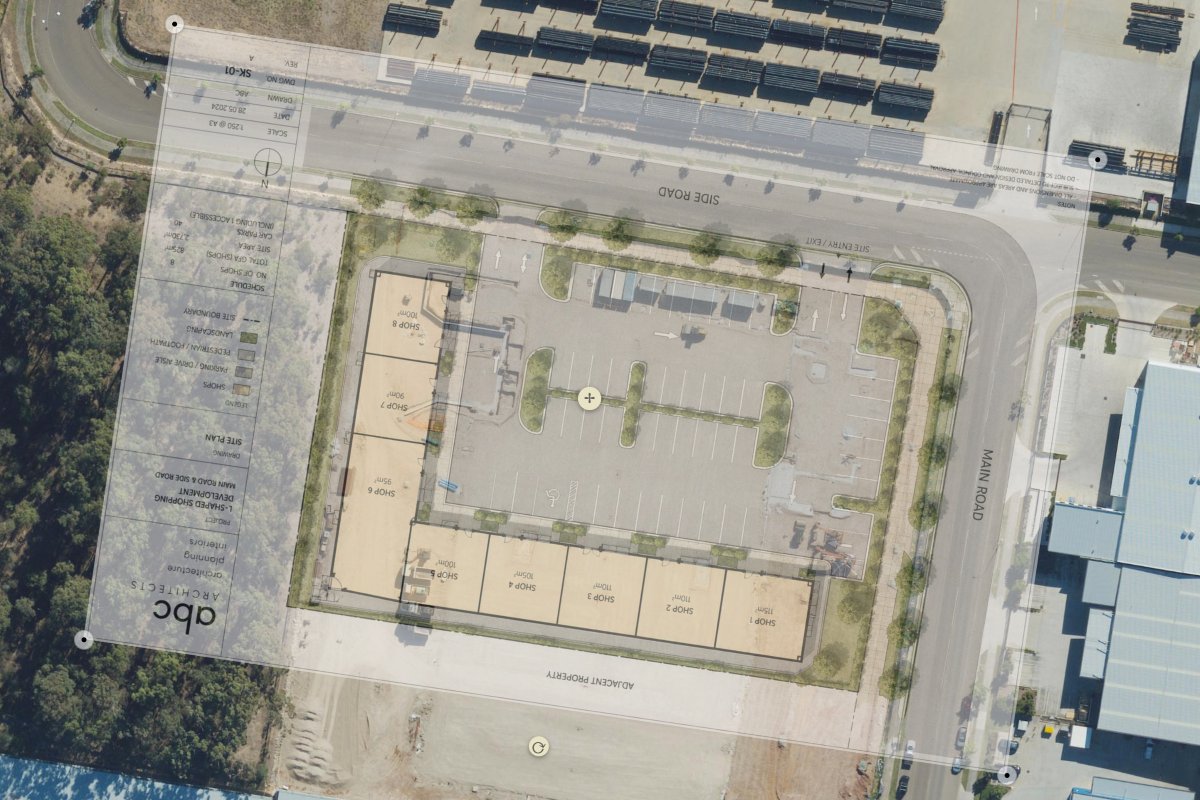
Elements are the foundation of the platform. They transform maps and plans from simple viewing tools into operational workspaces where assets, locations and project features can be managed visually. Rather than creating isolated records, users create an element that represents something real, then build information around it over time.
A single project may contain hundreds or thousands of elements, each representing a unique location, object or area within the project environment.
Traditional mapping systems often rely on simple pins and points. While useful for showing a location, they rarely provide enough flexibility to represent how things actually exist in the field.
Elements can take different forms depending on what needs to be represented.
A marker can identify a specific location such as an asset, inspection point or observation.
A polygon can define an area such as a stockpile, environmental boundary, vegetation zone or construction area.
A polyline can represent linear features including fences, service routes, utilities, drainage channels or survey lines.
This flexibility allows projects to be modelled in a way that closely reflects real-world conditions rather than forcing everything into a single point on a map.
An element is not just a shape on a map.
Each element becomes a living record that can grow throughout the life of a project.
Photos can be added as site conditions change. Documents can be attached to provide supporting information. Notes, observations and custom data can be recorded directly against the element. Over time, this creates a complete history that remains permanently connected to the location and object it represents.
Instead of searching through folders, emails and reports, teams can simply select an element and view everything associated with it.
This creates a much clearer relationship between field information and the real-world feature it relates to.
Projects rarely have a single audience.
Environmental teams, project managers, surveyors, engineers and field crews often need to view the same site from different perspectives.
Rather than creating duplicate records, elements can be shared across multiple markups. The same asset, monitoring point or observation can appear in different project views while remaining a single object within the system.
Updates only need to occur once. New photos, updated information or status changes become available wherever that element is displayed.
This reduces duplication, improves consistency and ensures teams are always working from the same source of information.
As projects evolve, elements become the building blocks of a visual project environment.
Instead of viewing maps as background imagery, teams begin interacting directly with the assets, locations, observations and project features that exist across a site. Information becomes easier to understand because it remains connected to both the object and the location it relates to.
The result is a more intuitive way to manage field information, document project activities and build a long-term record of what exists across a site.
Represent infrastructure, equipment and physical assets.
Create permanent locations for recurring inspections.
Track faults, defects and maintenance requirements.
Represent boreholes, test pits and sampling locations.
Record monitoring points, vegetation areas and protected zones.
Map pits, conduits, valves, poles and service networks.
Represent temporary and permanent project components.
Create location references used throughout a project.
A map element is a digital representation of a real-world object, location, asset or feature displayed on a map or plan.
Live Site Map supports markers, polygons, zones and polylines, allowing different types of physical features to be represented accurately.
Yes. Every element stores location information and can be displayed on satellite maps and plan overlays.
Yes. Multiple photos, documents, notes and custom information can be attached to an element.
Yes. A single element can appear across multiple markups without creating duplicate records.
It allows different teams to work from the same underlying information while maintaining different project views.
Yes. Information, photos and attributes can be continually updated as projects progress.
Elements can represent assets, utilities, inspection points, defects, environmental features, construction components, survey points and many other real-world objects.




.jpg)
1234.png)