
Organise map elements into focused views, reuse information across markups and share live map views with your team.
Maps become difficult to use when too much information is displayed at once.
As locations, assets, observations, inspections and field records accumulate, the map can quickly become cluttered. Important information becomes harder to identify, users spend more time turning layers on and off, and different teams often require different views of the same location.
Markups solve this problem by allowing information to be organised into meaningful collections.
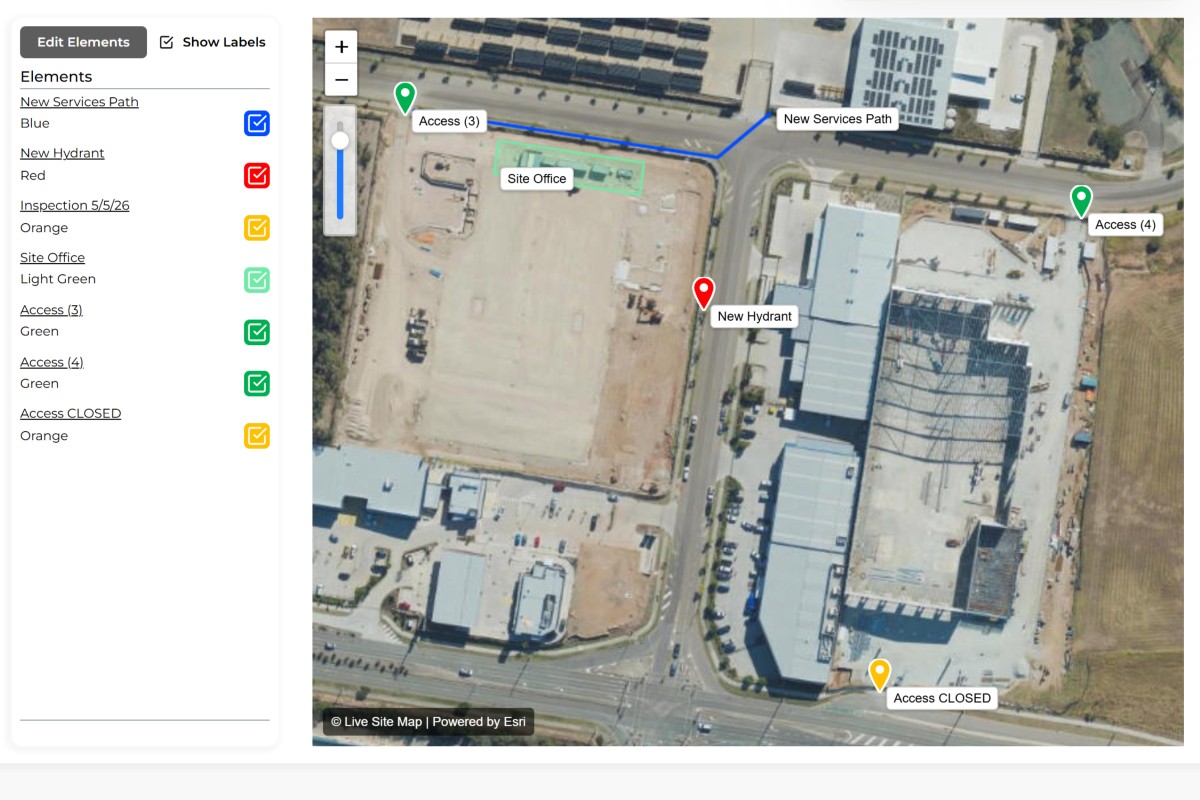
A markup is a collection of elements displayed together on a map or plan. Rather than viewing every element at once, users can create focused markups that contain only the information relevant to a particular activity, purpose or audience.
This makes maps easier to understand while providing greater flexibility in how information is organised and shared.
A single site, corridor, property or asset network may contain hundreds of elements.
Not everyone needs to see all of them.
A field crew may need to view inspection locations. An environmental consultant may need monitoring points. A maintenance team may only need asset information. While all of these elements may exist within the same area, they often serve different purposes.
Markups allow multiple views of the same location to exist without requiring separate maps or duplicated information.
Users can switch between markups to focus on the information that matters to them while maintaining access to the wider dataset when required.
Every markup is built using elements.
Markers, polygons, zones and polylines can be added to a markup to create a visual representation of information across a map or plan. As elements are added, the markup becomes a focused view of a specific collection of information.
A markup may contain a handful of elements or thousands depending on the size and complexity of the area being managed.
Because markups are visual by nature, they provide an intuitive way to organise information without relying on folders, spreadsheets or complex database structures.
Information should only need to be created once.
A key advantage of markups is the ability to reuse elements across multiple views. An inspection location may appear within an inspection markup, a maintenance markup and an operational markup simultaneously.
Rather than creating duplicate copies, the same underlying element can be referenced by multiple markups.
This reduces administration, improves consistency and ensures everyone is working from the same source of information.
When information attached to an element changes, that update is immediately reflected wherever the element is displayed.
Many organisations still rely on screenshots, PDFs and exported plans to share information.
The problem is that these documents become outdated the moment something changes.
Markups provide a more flexible alternative.
Users can generate shareable links that allow others to view a markup directly. This provides access to the latest information without requiring additional software, exported reports or manual updates.
Whether sharing information internally or externally, markups provide a simple way to communicate location-based information visually.
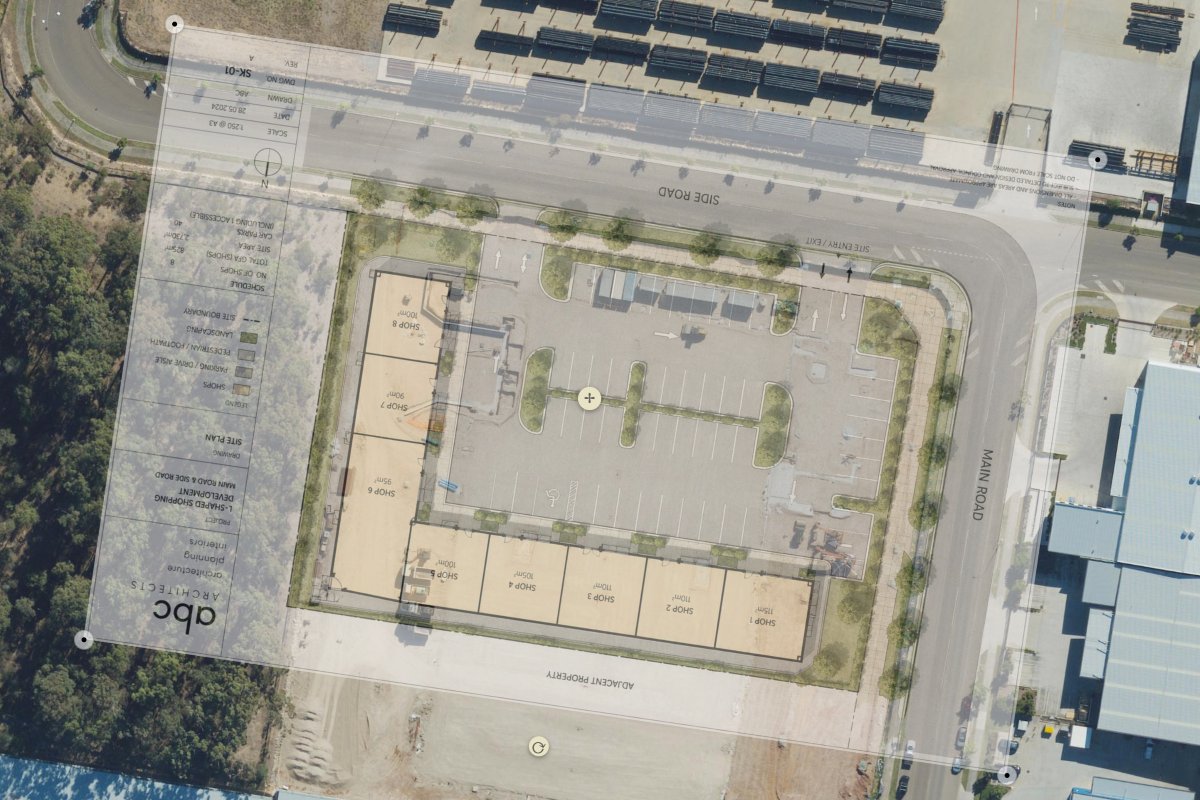
Markups can be displayed directly on satellite imagery or combined with site plan overlays.
This allows organisations to organise information using the format most appropriate for the task at hand. Some activities are easier to understand on aerial imagery, while others benefit from engineering drawings, survey plans or site layouts.
Because markups are independent of the underlying map source, the same information can be viewed against different backgrounds while maintaining its location and context.
Group inspection points into a dedicated markup.
Display monitoring locations and environmental observations.
Organise pits, conduits, valves and network assets.
Create focused views for maintenance activities and inspections.
Group defects and issues into a single visual view.
Display survey points, boundaries and field observations.
Organise hazards, incidents and safety information.
Create dedicated views for ongoing field operations.
A markup is a collection of elements displayed together on a map or plan.
Markups can contain markers, polygons, zones, polylines and other map elements.
Yes. Elements can be shared across multiple markups without creating duplicate records.
Yes. Markups can be displayed on satellite maps, site plans and other overlays.
Yes. Markups can be shared using live links for viewing and collaboration.
Markups allow different views of information while maintaining a single source of truth.
No. Markups reference existing elements and can reuse the same information across multiple views.
Markups are commonly used by field teams, utilities, environmental consultants, asset managers, surveyors and infrastructure operators to organise and communicate location-based information.




1234.png)